
Features
Discover the powerful features that will transform the way you interact with websites

Toolbar
Have all your tools at the tip of your fingers, easily accessible
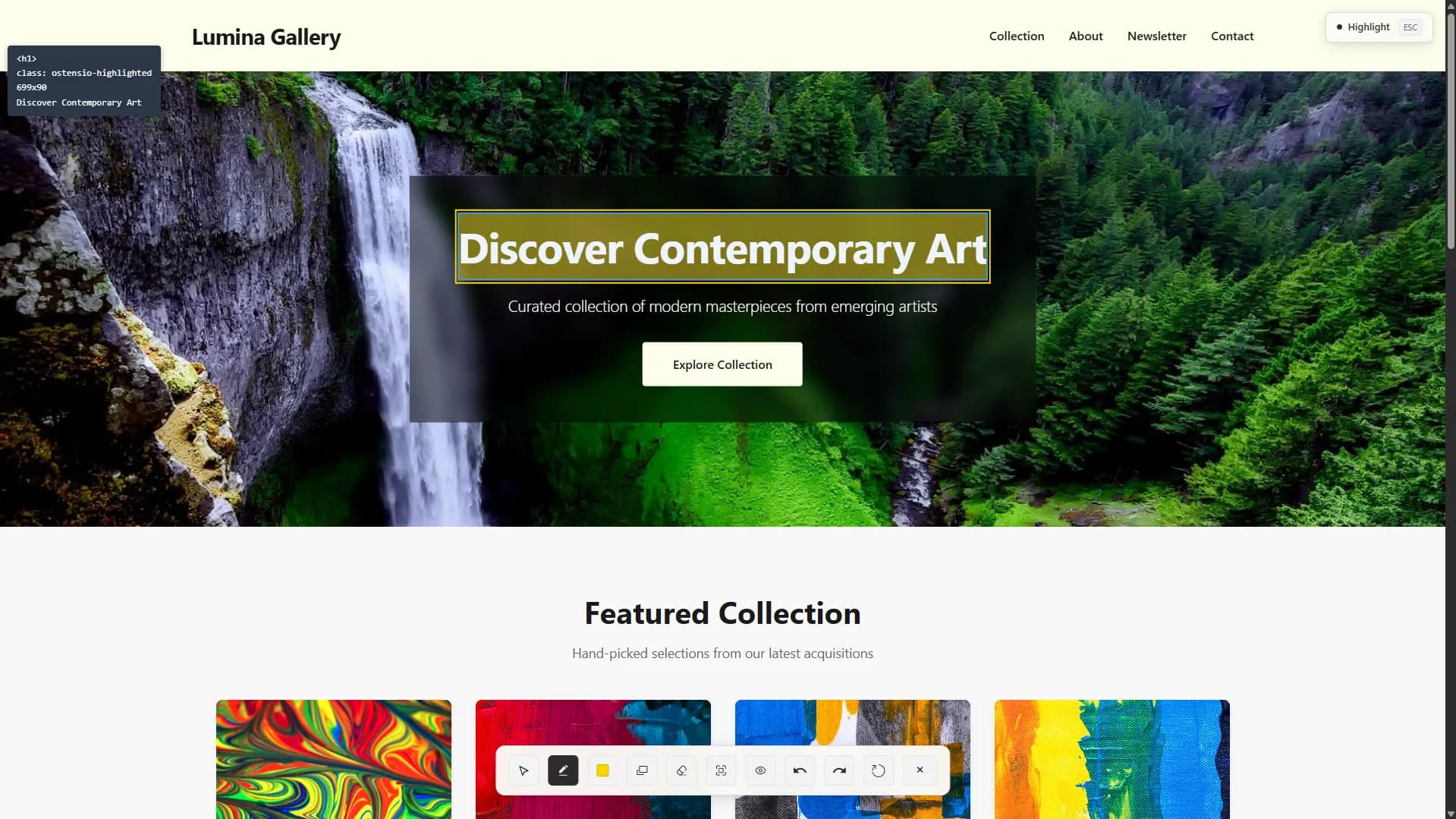
Element Inspection
Hover over text, elements, divs and areas on screen, with automatic CSS selector generation
Digital Highlighting
A digital highlighter in any color you want
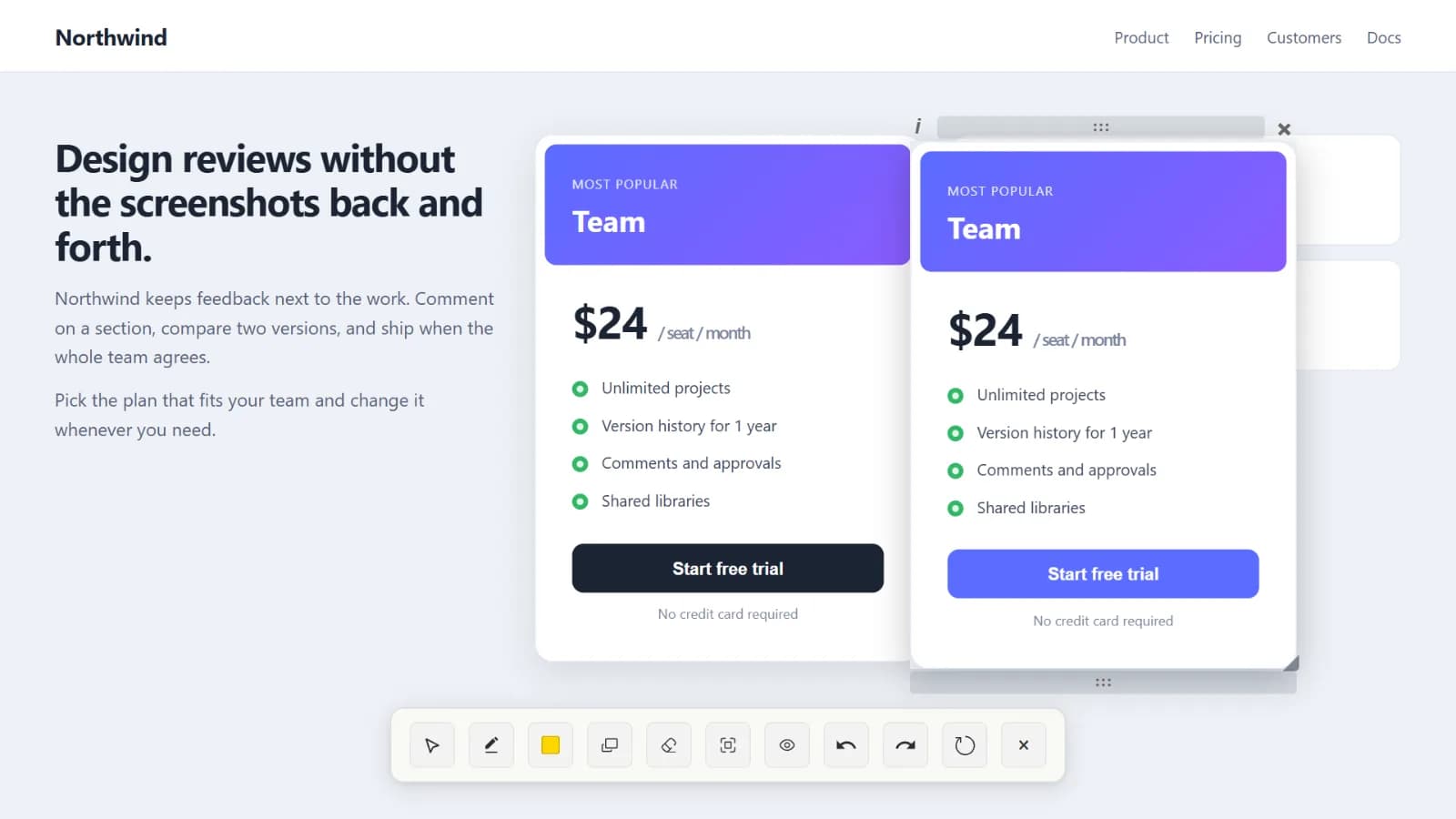
Popup Extraction
Convert elements to draggable, resizable popups that float over the page. Make them a copy or remove the original element from its original position.
Interactive Components
Extracted elements are rebuilt from the page's own HTML and CSS instead of pasted as a picture. Hover and focus states work, text can be selected, and the popup scales as you resize it. Scripts, links and forms stay off, and popups last until the page reloads. Too complex to rebuild? You get the screenshot instead, and any popup can be swapped for its screenshot from the context menu.
Placeholder for Free-Range Screenshot
Free-Range Screenshot
Take screenshots of any area with different possible shapes and turn them into popups with the same functionalities
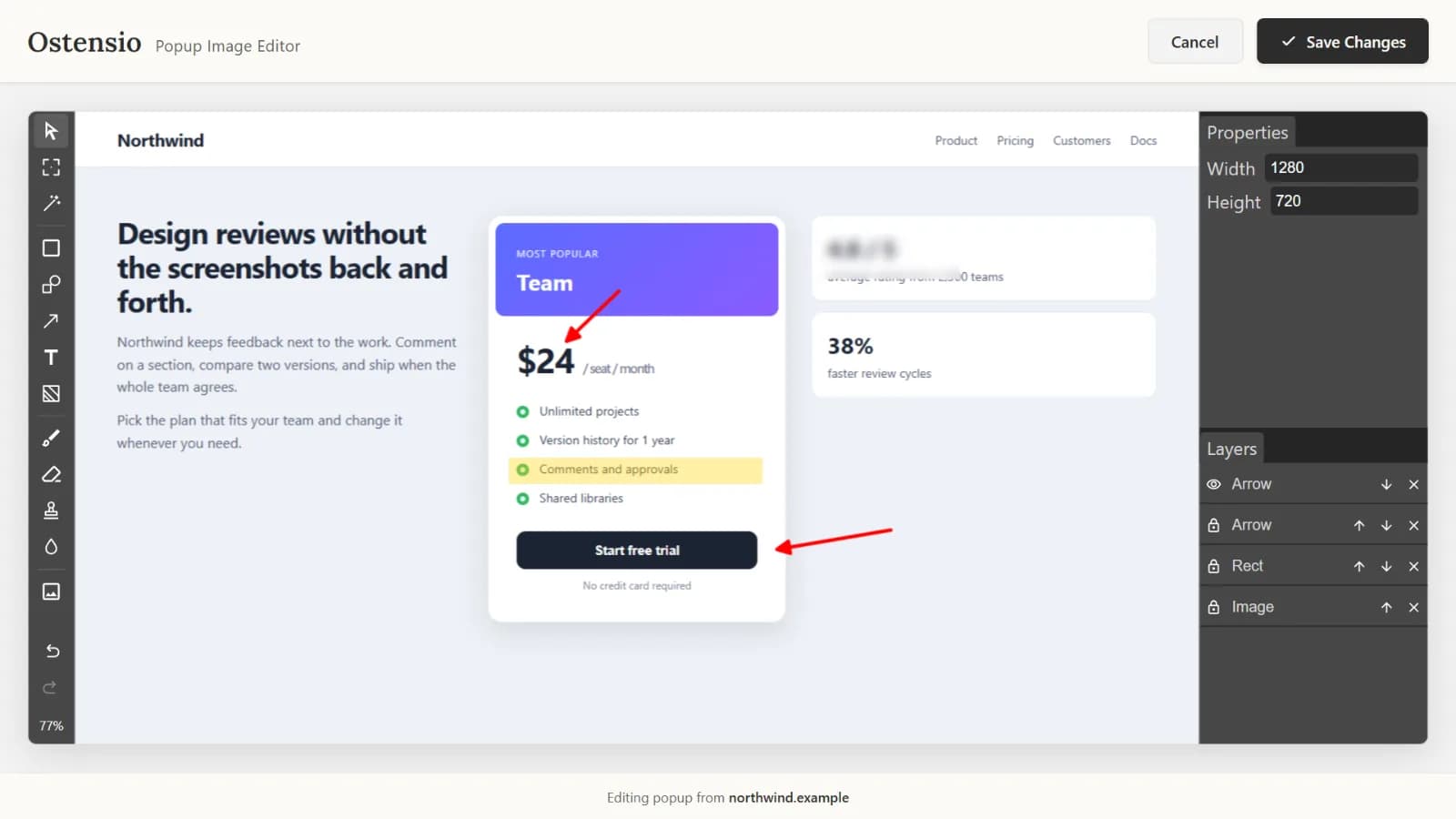
Image Editor
Edit any screenshot in a built-in editor with layers. Draw arrows, shapes and gradients, select with a quick-selection brush or the magic wand, erase, clone, blur or pixelate private details, and apply filters. Every step can be undone and redone.
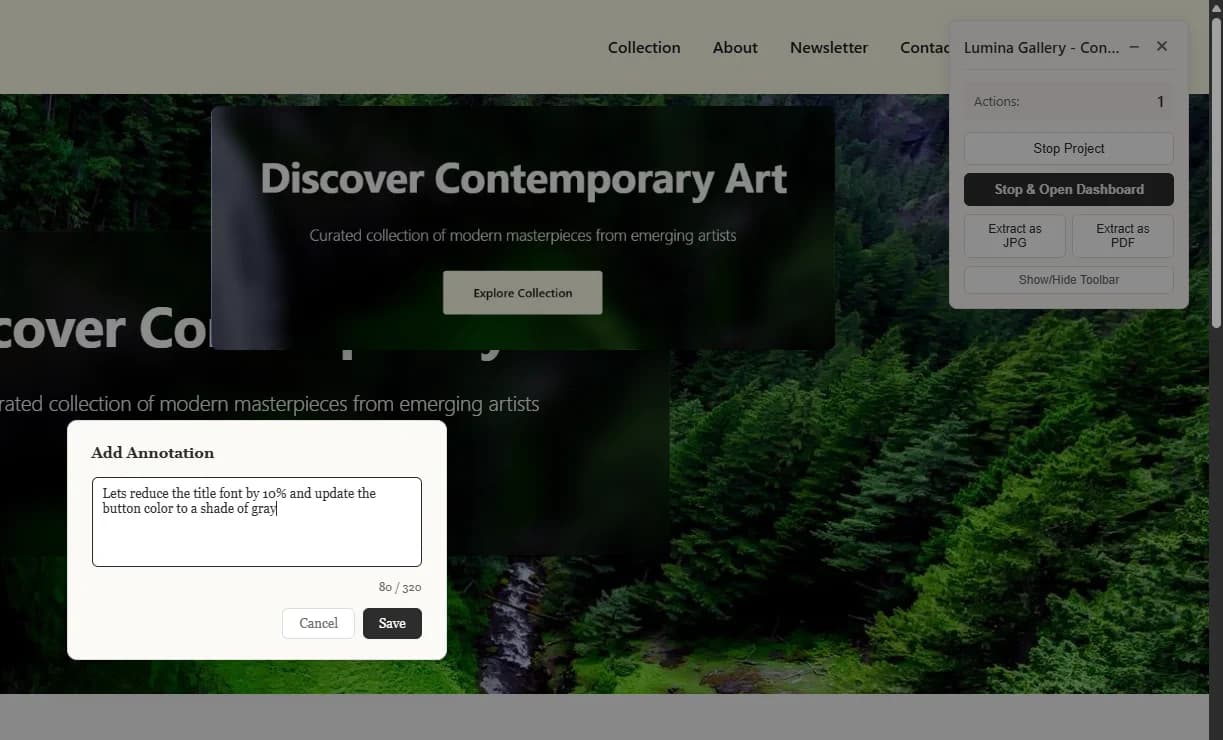
Annotations
Add annotations or comments to popups and screenshots of projects with the context menu, or to any action on the project page
Placeholder for Tree of Actions
Tree of Actions
Do, Undo, Redo - full control over your workflow
Placeholder for Page Extraction
Page Extraction
Export your current view, or the full page as an image or PDF that you can revisit or redownload later
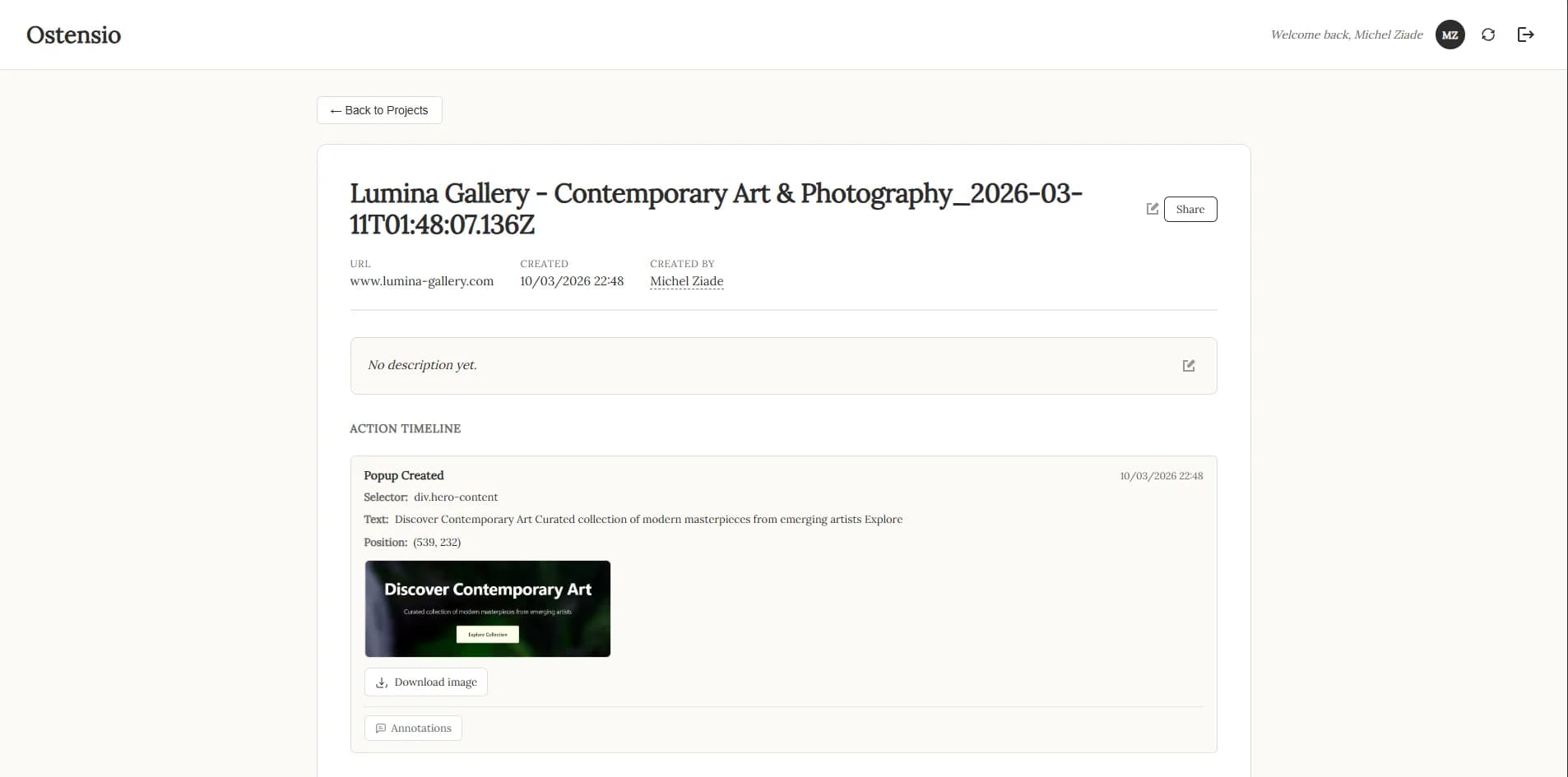
Projects
Keep track of and access past projects on demand with timeline of actions, redownload popups and prints or add annotations! Access anywhere with cloud sync
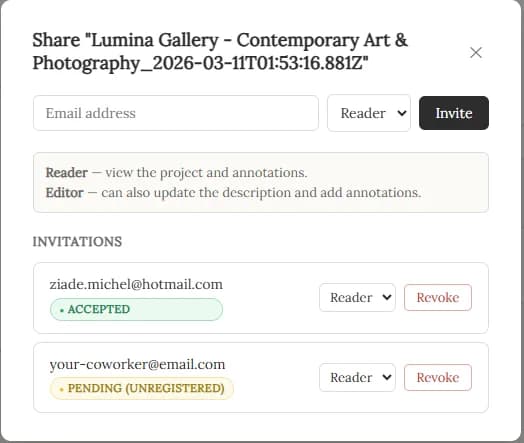
Share Projects
Share projects with friends and coworkers for seamless collaboration
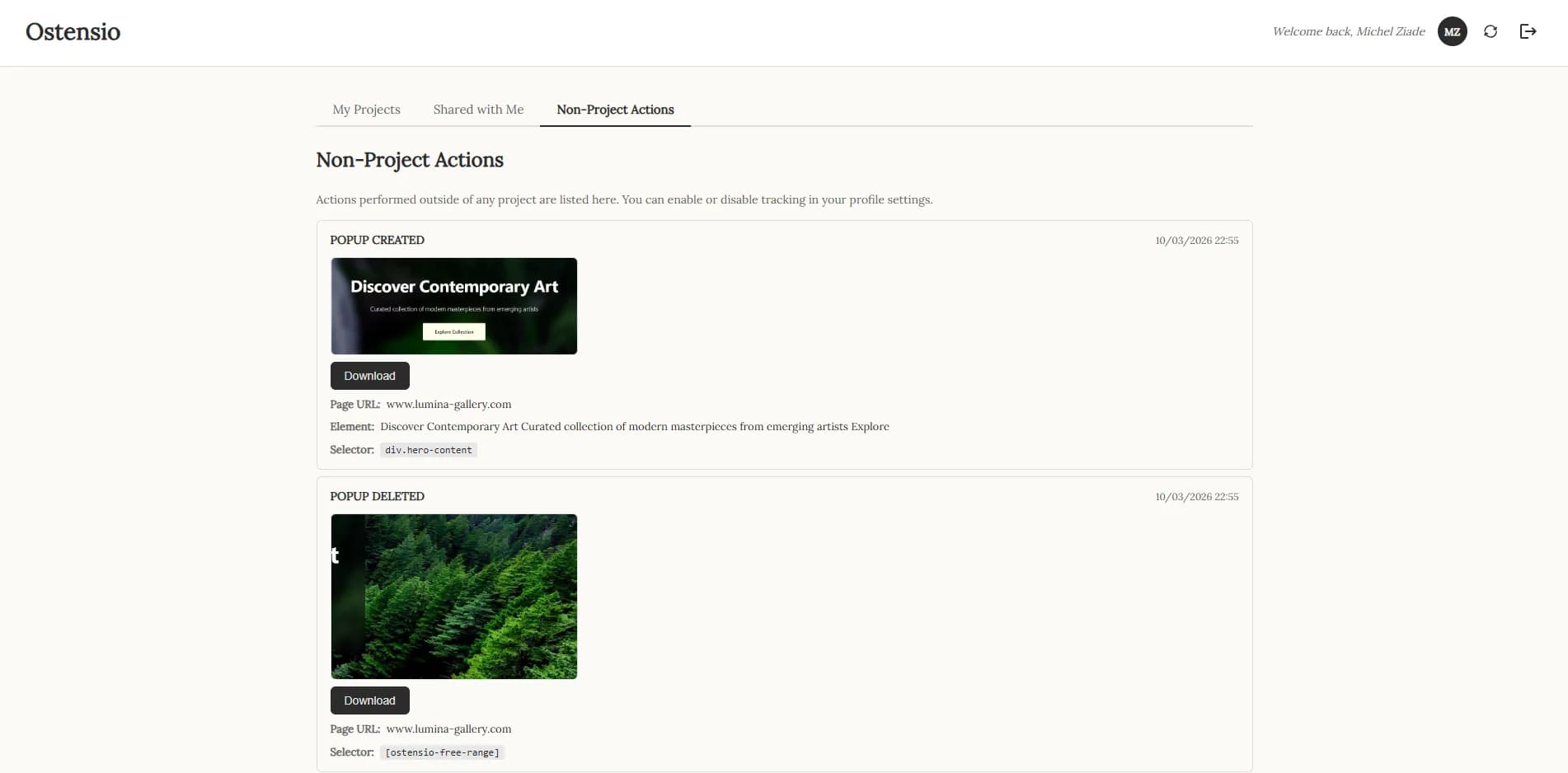
Non-Project Actions
Optionally, track your interactions outside of projects. Review your actions history and revisit previously interacted pages with their complete interaction timeline
We're just getting started!
More tools. More possibilities. Always evolving.